Tasks Overview
The Tasks page provides an overview of all mining tasks defined on the platform. A task holds the full configuration for a CleverMiner mining run: the dataset, the procedure, and all parameter settings.
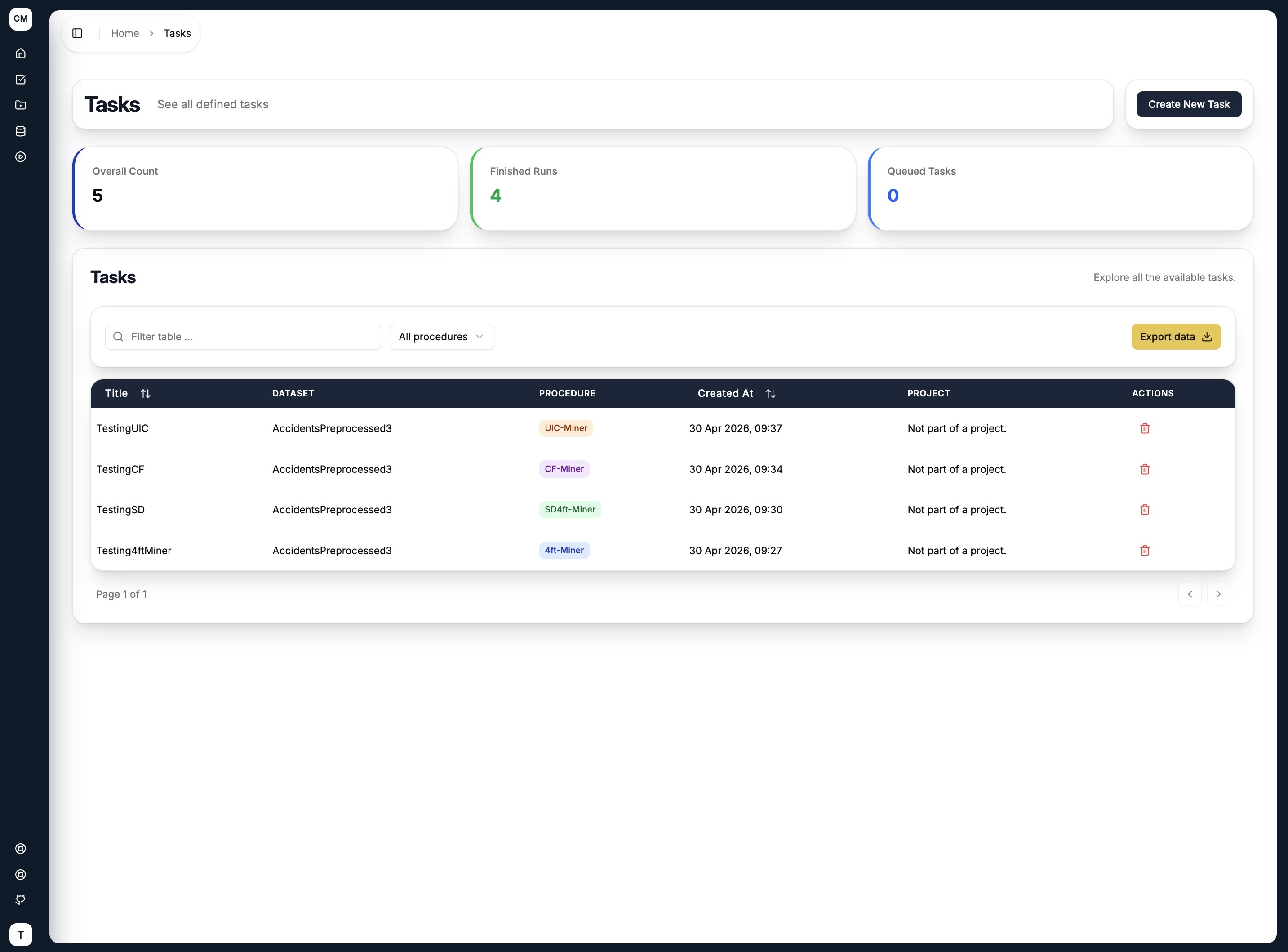
Summary Metrics
Three counters at the top of the page give you a quick status snapshot:
| Metric | Description |
|---|---|
| Overall Count | Total number of tasks defined on the platform |
| Finished Runs | Number of runs across all tasks that have completed |
| Queued Tasks | Number of tasks with runs currently waiting to be processed |
Tasks Table
The table lists all defined tasks with the following columns:
| Column | Description |
|---|---|
| Title | The name given to the task |
| Dataset | The dataset the task is configured to mine |
| Procedure | The GUHA procedure used — fourftMiner, SD4ftMiner, CFMiner, or UICMiner |
| Created At | Timestamp when the task was created |
| Actions | Delete the task |
You can filter the table by procedure type using the All procedures dropdown, or search by task name using the filter input. The full task list can also be exported using the Export data button.
Creating a Task
Click Create New Task in the top right corner to open the task creation wizard. The wizard walks you through three steps:
- General Setup — name your task, select a dataset, and choose a procedure
- Task Configuration — configure the antecedent, succedent
- Quantifiers Definition — specific quantifiers for the new task
See the individual procedure pages for a detailed walkthrough of each step: