4ft-Miner Task
The 4ft-Miner finds association rules of the form If A then S — where A is the antecedent and S is the succedent — that meet a minimum probability threshold and are valid for at least a given number of records. It is the core GUHA procedure for enhanced association rule mining.
Task creation is handled through a three-step wizard: Task Setup → Logic Configuration → Quantifiers.
Step 1 — Task Setup
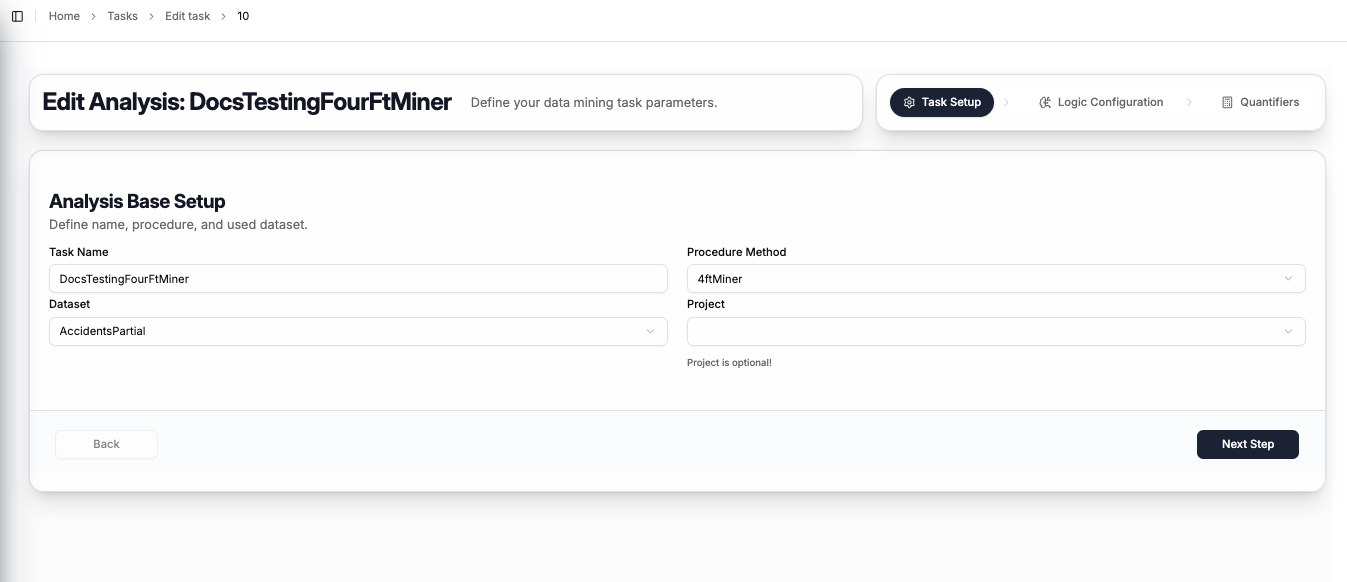
The first step captures the basic task information:
| Field | Description |
|---|---|
| Task Name | A name to identify this task |
| Procedure Method | Select 4ftMiner |
| Dataset | The dataset to mine — select from your uploaded datasets |
| Project | Optionally assign the task to a project (can be left empty) |
Click Next Step to proceed to logic configuration.
Step 2 — Logic Configuration
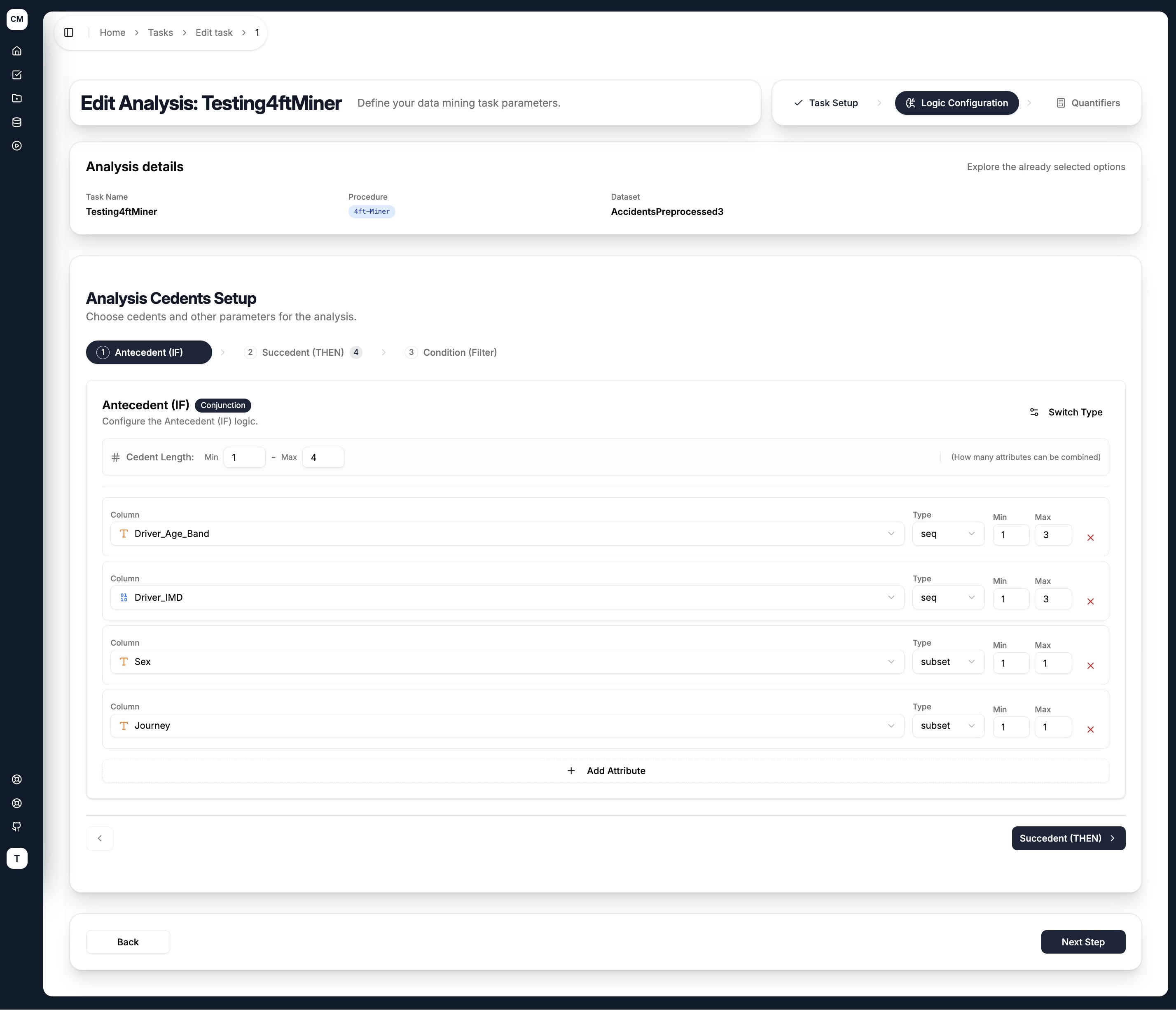
The second step is where you define the cedents — the logical building blocks of the rule. For the 4ft-Miner, three cedents are available as tabs:
| Tab | Role | Required |
|---|---|---|
| Antecedent (IF) | Left-hand side of the rule — the conditions being tested | ✅ Yes |
| Succedent (THEN) | Right-hand side of the rule — the outcome being predicted | ✅ Yes |
| Condition (Filter) | Filters the dataset to a subset before mining begins | ❌ Optional |
Configuring a Cedent
Each cedent tab shares the same layout:
- Cedent Type — toggle between
Conjunction(AND) orDisjunction(OR) using the Switch Type button in the top right - Cedent Length (Min / Max) — controls how many attributes can be combined in a single rule. For example, Min
1Max4means rules can contain between 1 and 4 attributes in the antecedent
For each attribute added to the cedent:
| Field | Description |
|---|---|
| Column | Select an attribute from the dataset |
| Type | How the attribute's values are grouped — see Literal Types below |
| Min / Max | The minimum and maximum number of values to combine for this attribute |
Use + Add Attribute to add more columns to the cedent, and the ✕ button to remove one.
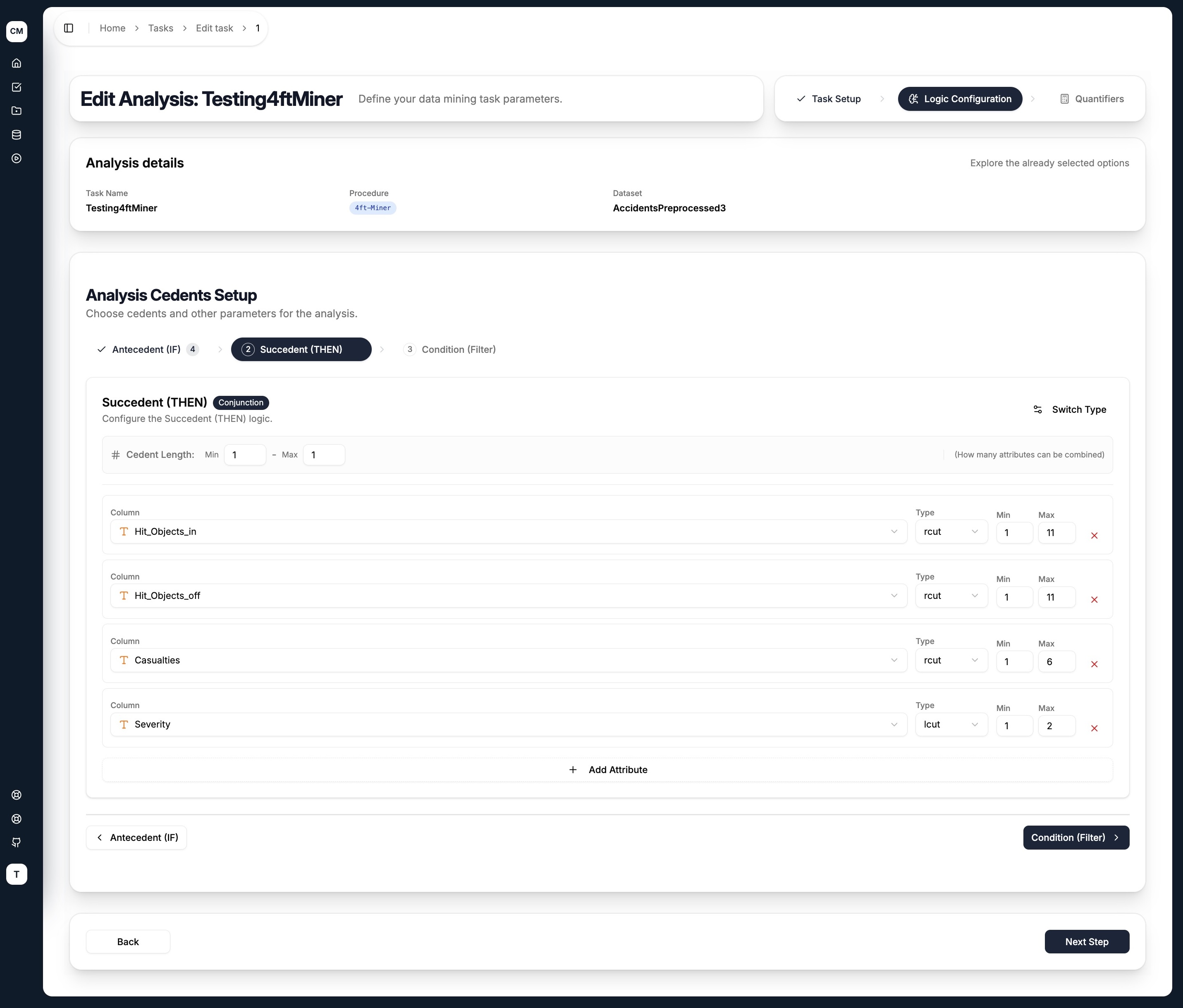
Literal Types
The Type field controls how CleverMiner explores the value combinations for each attribute:
| Type | Description |
|---|---|
subset | Any subset of the attribute's categories (unordered) |
seq | Sequences of consecutive ordered values |
lcut | Left cut — takes values from the left end of the ordered range |
rcut | Right cut — takes values from the right end of the ordered range |
Click Next Step to proceed to quantifier setup.
Step 3 — Quantifiers
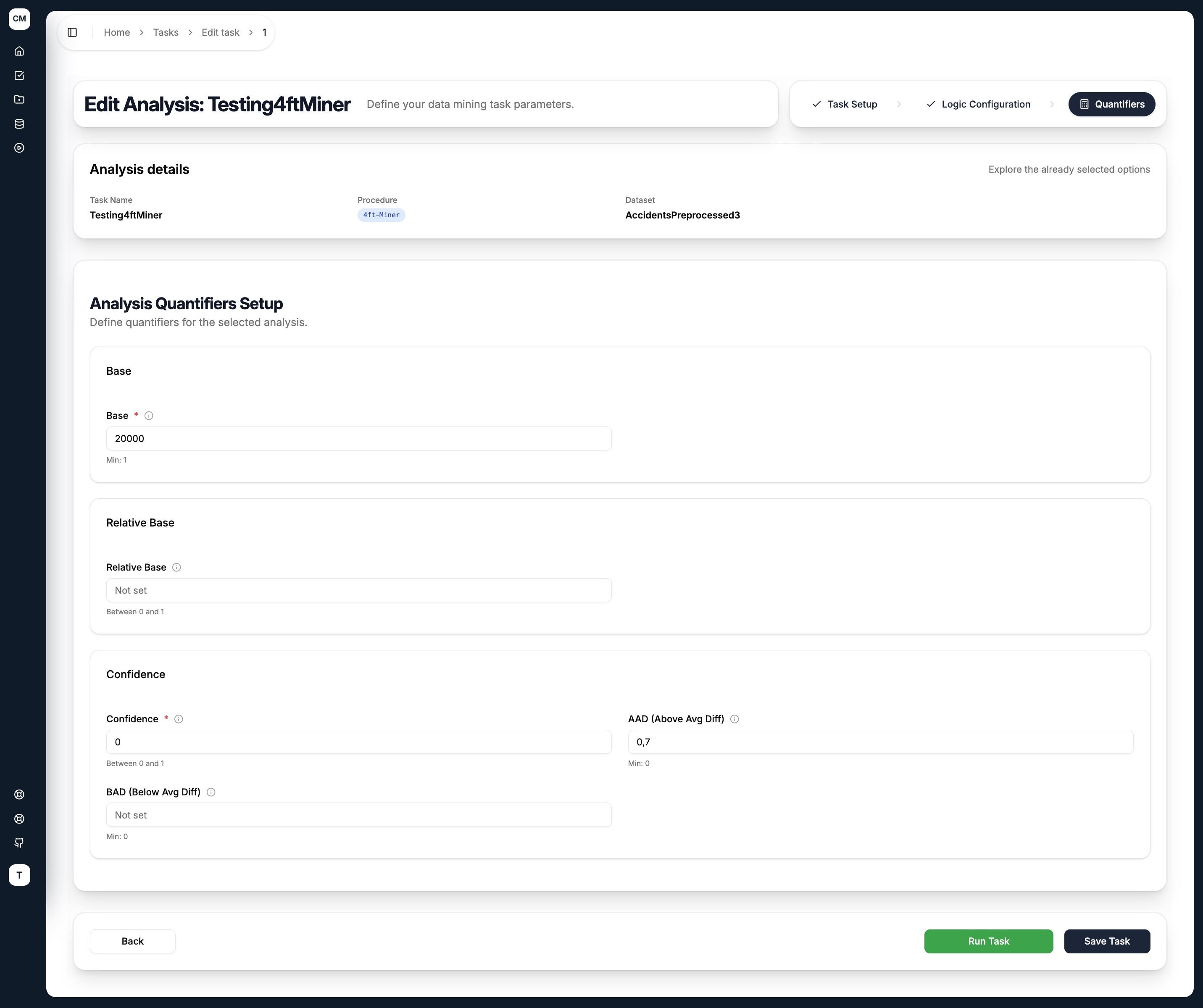
Quantifiers are the statistical thresholds that filter out uninteresting rules. Only rules meeting all specified quantifier conditions are returned.
| Quantifier | Description |
|---|---|
| Base | Minimum absolute number of records satisfying both antecedent and succedent |
| Relative Base | Minimum base as a fraction of the total dataset size |
| Confidence | Minimum conditional probability P(S|A) — how often the succedent holds when the antecedent is true |
| AAD (Above Avg Diff) | Minimum uplift — how much the antecedent increases the probability of the succedent compared to the whole dataset. Defined as P(S|A) / P(S) - 1 |
| BAD (Below Avg Diff) | Negative equivalent of AAD — how much the antecedent decreases the probability of the succedent |
Leave a quantifier field empty (Not set) to skip that threshold.
Submitting the Task
At the bottom of the quantifiers step, two actions are available:
- Save Task — saves the task configuration for later execution
- Run Task — saves the task and immediately dispatches it to the execution pipeline
You do not need to set all quantifiers. A common starting configuration is to set only Base (to ensure rules are backed by enough data) and AAD (to ensure the antecedent meaningfully lifts the probability of the succedent).