SD4ft-Miner Task
The SD4ft-Miner is the subgroup discovery variant of the 4ft-Miner. Its core idea is: find circumstances under which the probability of a rule differs significantly between two groups. For example, you can check whether the probability of a fatal accident differs between young and older drivers under the same road conditions.
Task creation is handled through a three-step wizard: Task Setup → Logic Configuration → Quantifiers.
Step 1 — Task Setup
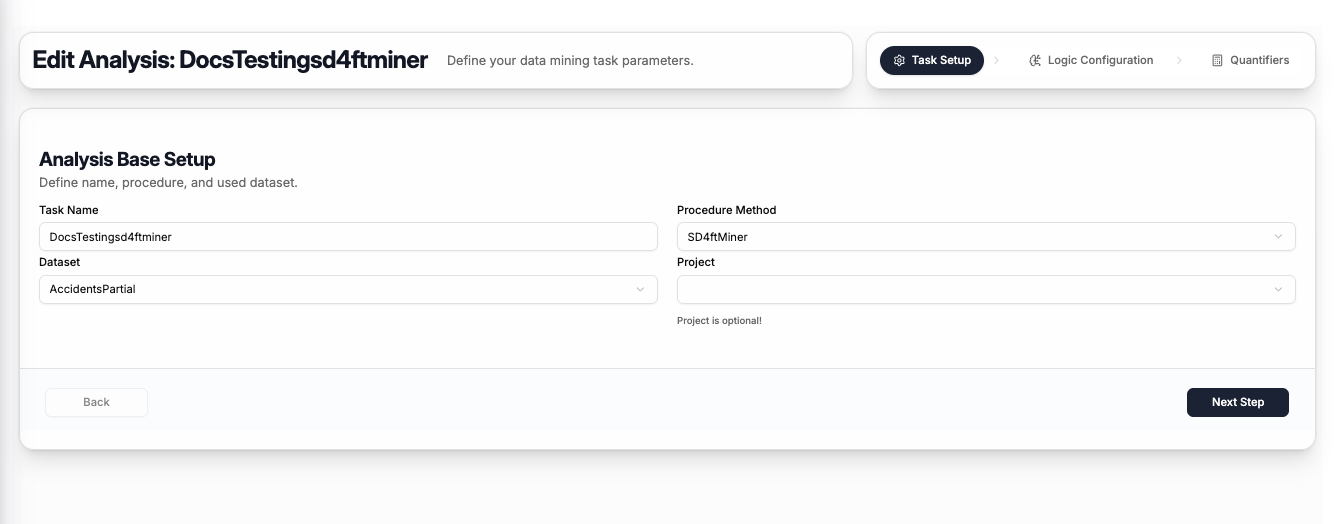
The first step captures the basic task information:
| Field | Description |
|---|---|
| Task Name | A name to identify this task |
| Procedure Method | Select SD4ftMiner |
| Dataset | The dataset to mine — select from your uploaded datasets |
| Project | Optionally assign the task to a project (can be left empty) |
Click Next Step to proceed to logic configuration.
Step 2 — Logic Configuration
The SD4ft-Miner has five cedent tabs — two more than the 4ft-Miner, because it requires two population sets to compare:
| Tab | Role | Required |
|---|---|---|
| Antecedent (IF) | Left-hand side of the rule — the shared conditions being tested | ✅ Yes |
| Succedent (THEN) | Right-hand side of the rule — the outcome being compared | ✅ Yes |
| Condition (Filter) | Filters the dataset to a subset before mining begins | ❌ Optional |
| Set 1 Population | Defines the first subgroup for comparison | ✅ Yes |
| Set 2 Population | Defines the second subgroup for comparison | ✅ Yes |
Antecedent (IF)
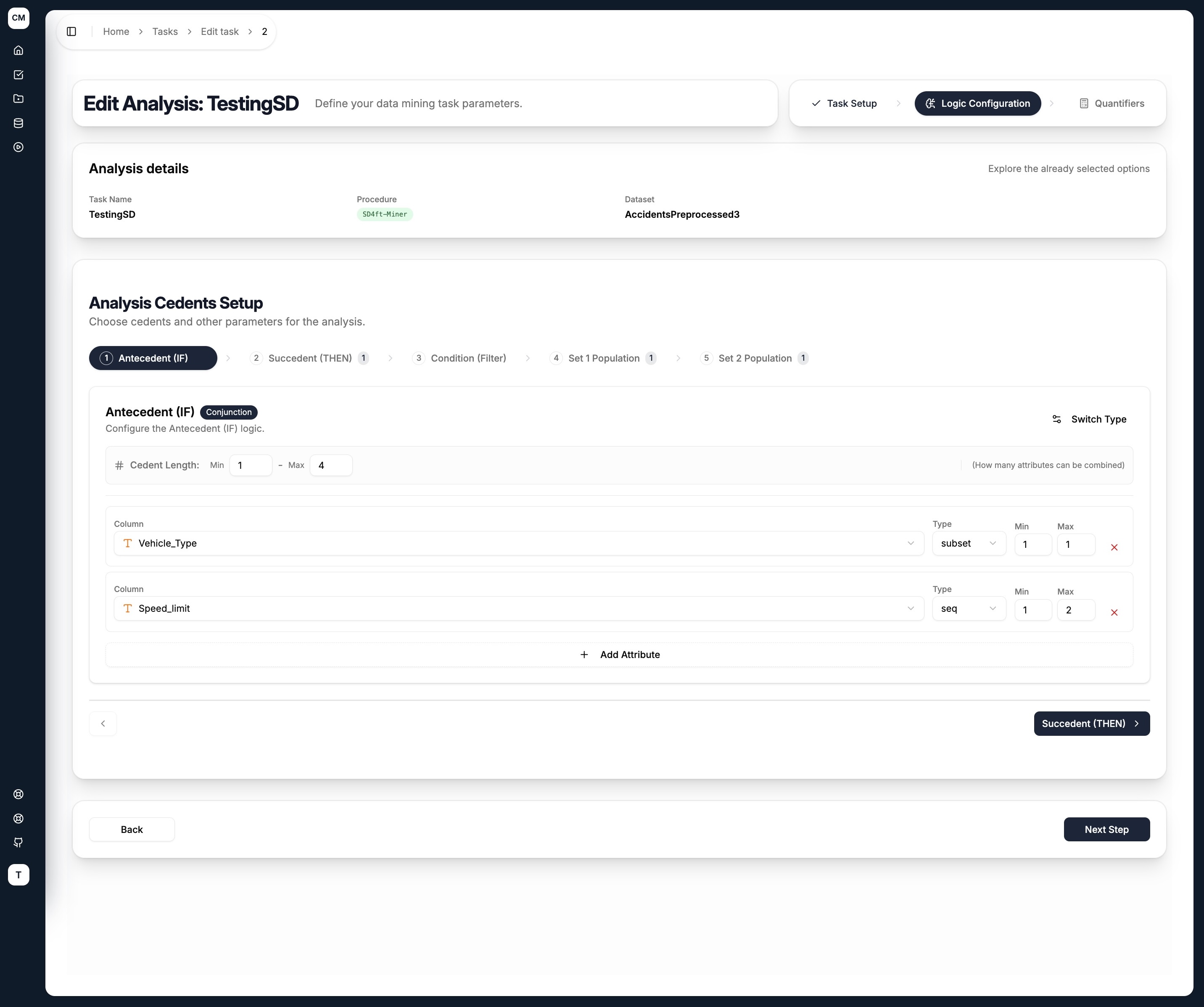
The antecedent defines the conditions that apply to both groups. Attributes and their value combinations are explored across both subgroups simultaneously.
Succedent (THEN)
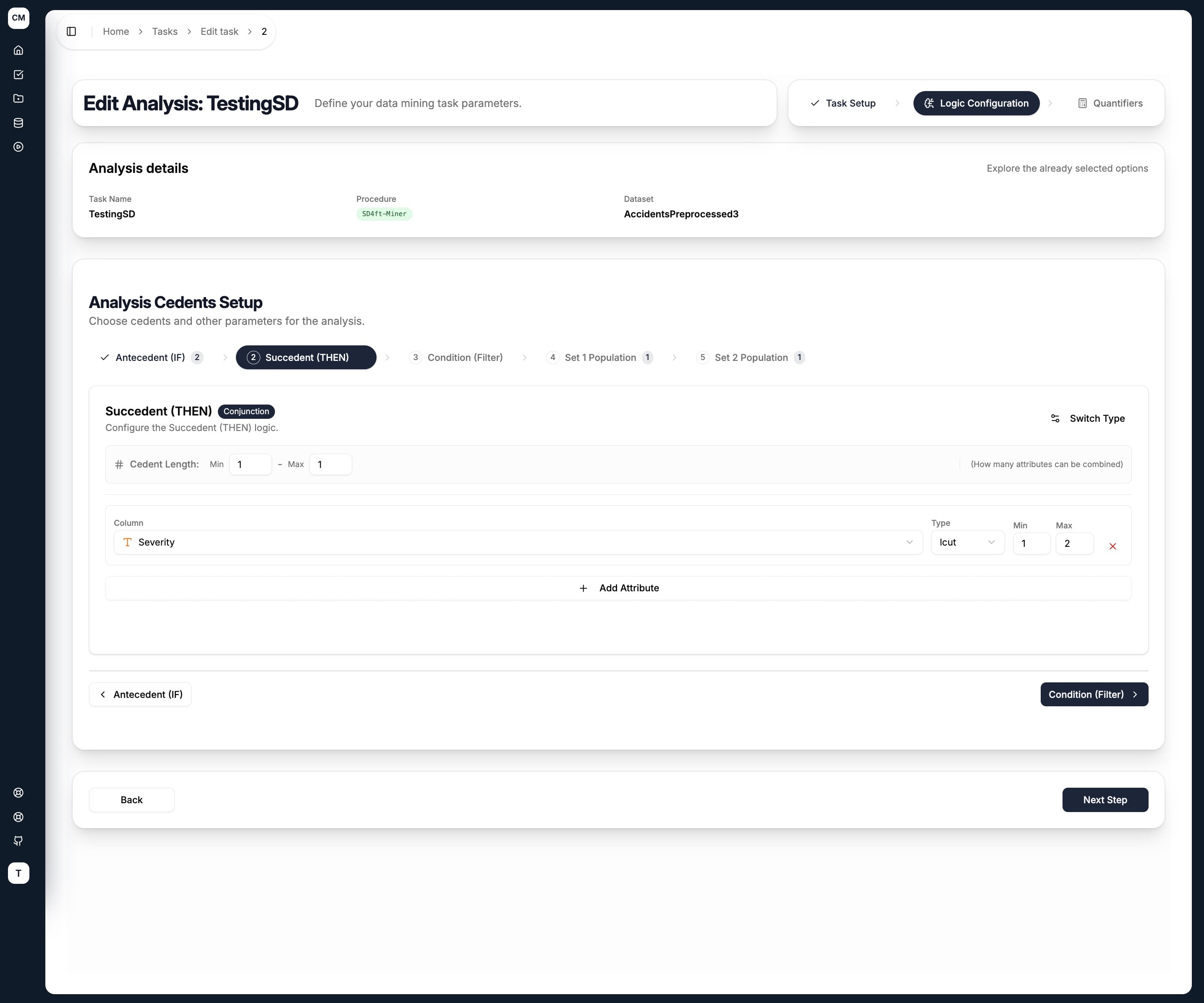
The succedent is the target outcome whose probability is being compared between the two groups.
Set 1 Population & Set 2 Population
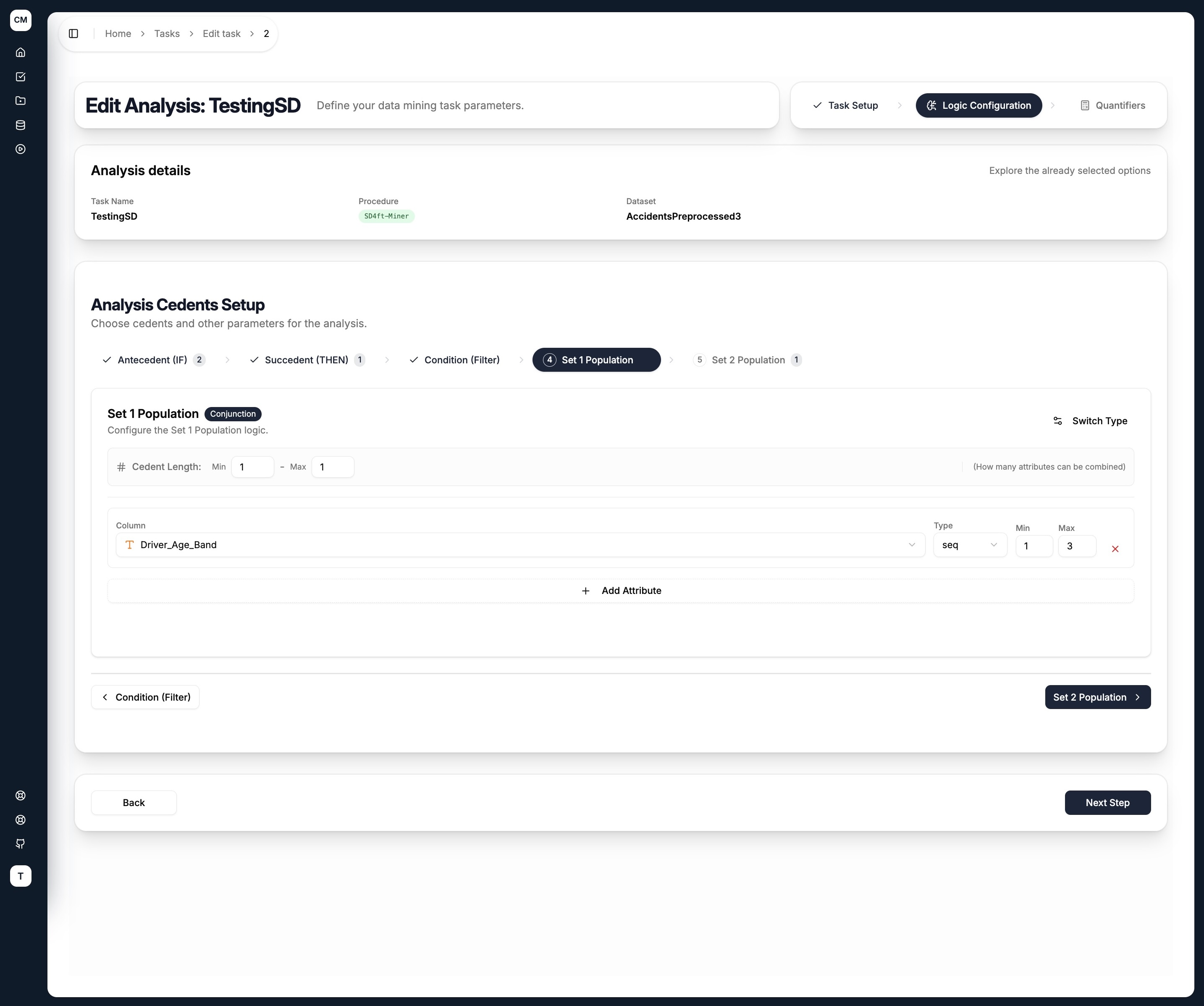
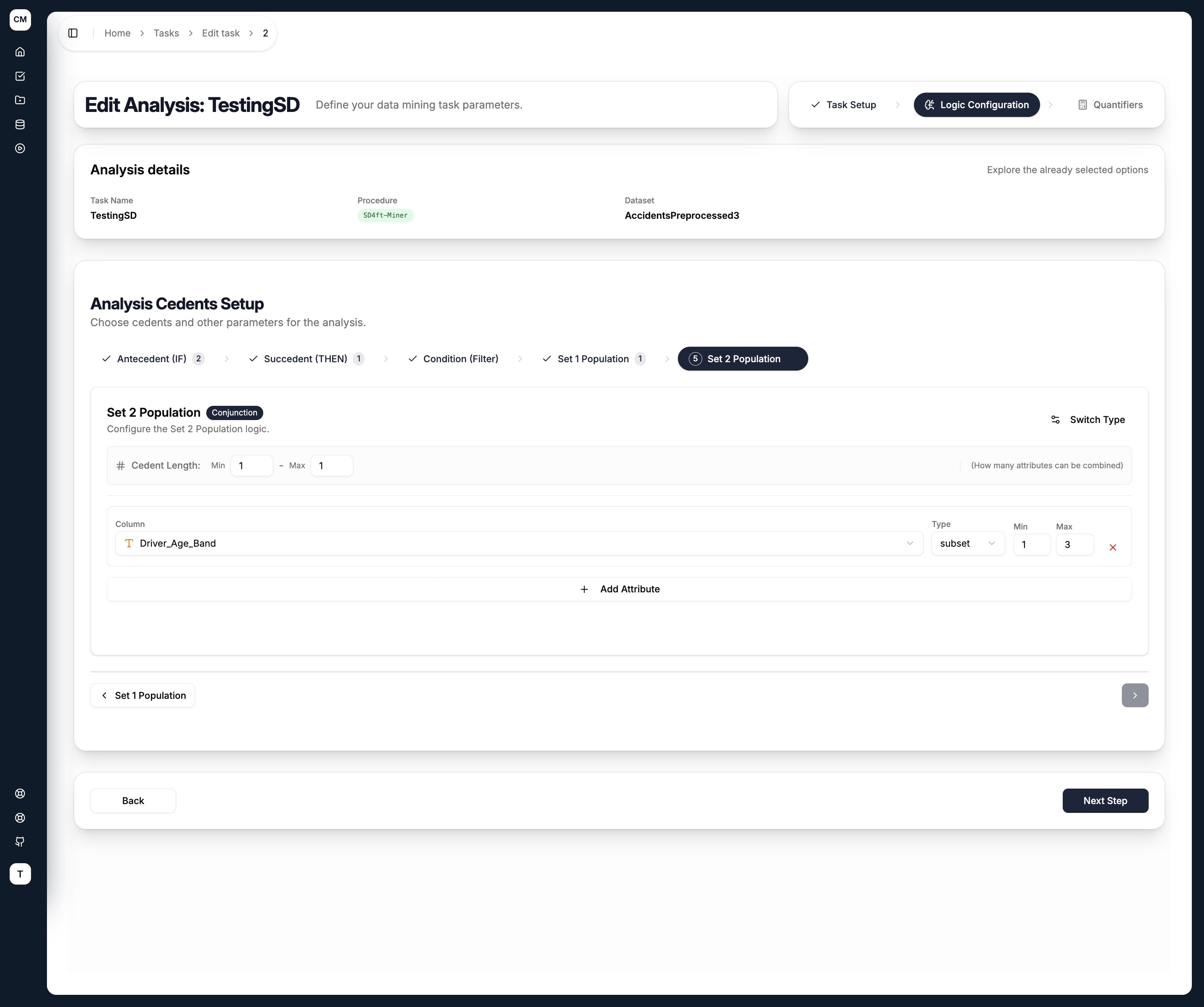
The two population sets define the subgroups being compared. For each rule discovered, the miner computes the confidence of the antecedent → succedent rule separately within Group 1 and Group 2, and reports how much they differ.
A typical setup is to use the same attribute (e.g. Driver_Age_Band) in both sets but with different value ranges — one for older drivers, one for younger drivers.
Configuring a Cedent
Each cedent tab shares the same layout:
- Cedent Type — toggle between
Conjunction(AND) orDisjunction(OR) using the Switch Type button - Cedent Length (Min / Max) — controls how many attributes can be combined in a single rule
For each attribute added to the cedent:
| Field | Description |
|---|---|
| Column | Select an attribute from the dataset |
| Type | How the attribute's values are grouped — see Literal Types below |
| Min / Max | The minimum and maximum number of values to combine for this attribute |
Use + Add Attribute to add more columns, and the ✕ button to remove one.
Literal Types
| Type | Description |
|---|---|
subset | Any subset of the attribute's categories (unordered) |
seq | Sequences of consecutive ordered values |
lcut | Left cut — takes values from the left end of the ordered range |
rcut | Right cut — takes values from the right end of the ordered range |
Click Next Step to proceed to quantifier setup.
Step 3 — Quantifiers
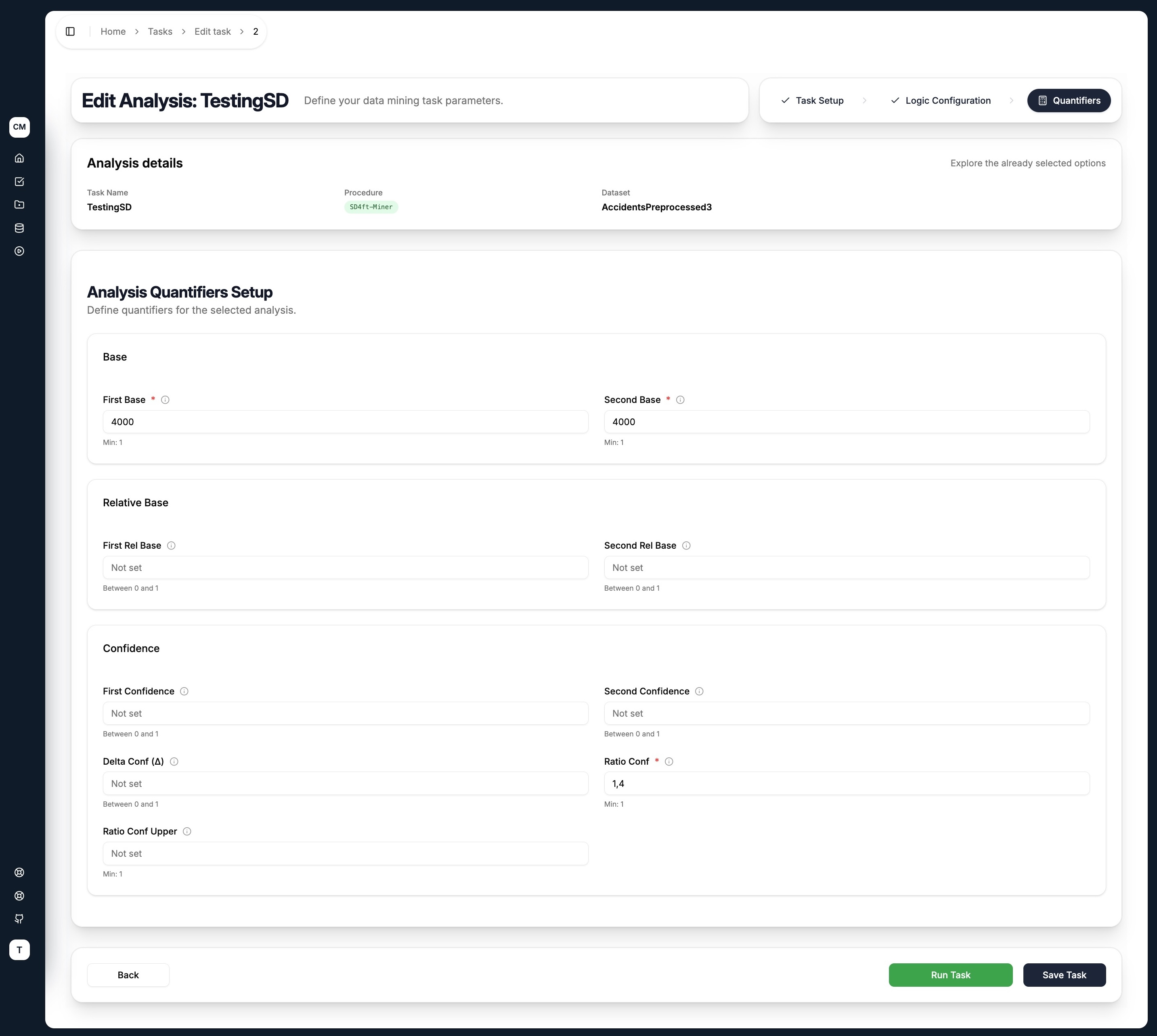
Because the SD4ft-Miner compares two groups, most quantifiers come in pairs — one for each group. Only rules meeting all specified conditions are returned.
| Quantifier | Description |
|---|---|
| First Base | Minimum records satisfying both antecedent and succedent in Group 1 |
| Second Base | Minimum records satisfying both antecedent and succedent in Group 2 |
| First Rel Base | Minimum relative base (as a fraction of dataset size) for Group 1 |
| Second Rel Base | Minimum relative base for Group 2 |
| First Confidence | Minimum P(S|A) for Group 1 |
| Second Confidence | Minimum P(S|A) for Group 2 |
| Delta Conf (Δ) | Minimum absolute difference between the two confidences |
| Ratio Conf | Minimum ratio of the two confidences (Conf1 / Conf2) |
| Ratio Conf Upper | Maximum ratio of the two confidences — sets an upper bound |
Leave a field empty (Not set) to skip that threshold.
Submitting the Task
At the bottom of the quantifiers step, two actions are available:
- Save Task — saves the task configuration for later execution
- Run Task — saves the task and immediately dispatches it to the execution pipeline
A good starting configuration is to set First Base and Second Base (to ensure both groups are large enough) and Ratio Conf (to ensure the two groups differ meaningfully). A Ratio Conf of 1.4 means Group 1's confidence must be at least 40% higher than Group 2's.