Runs Overview
The Runs page gives you a complete view of all mining executions performed on the platform — past, currently running, and queued.
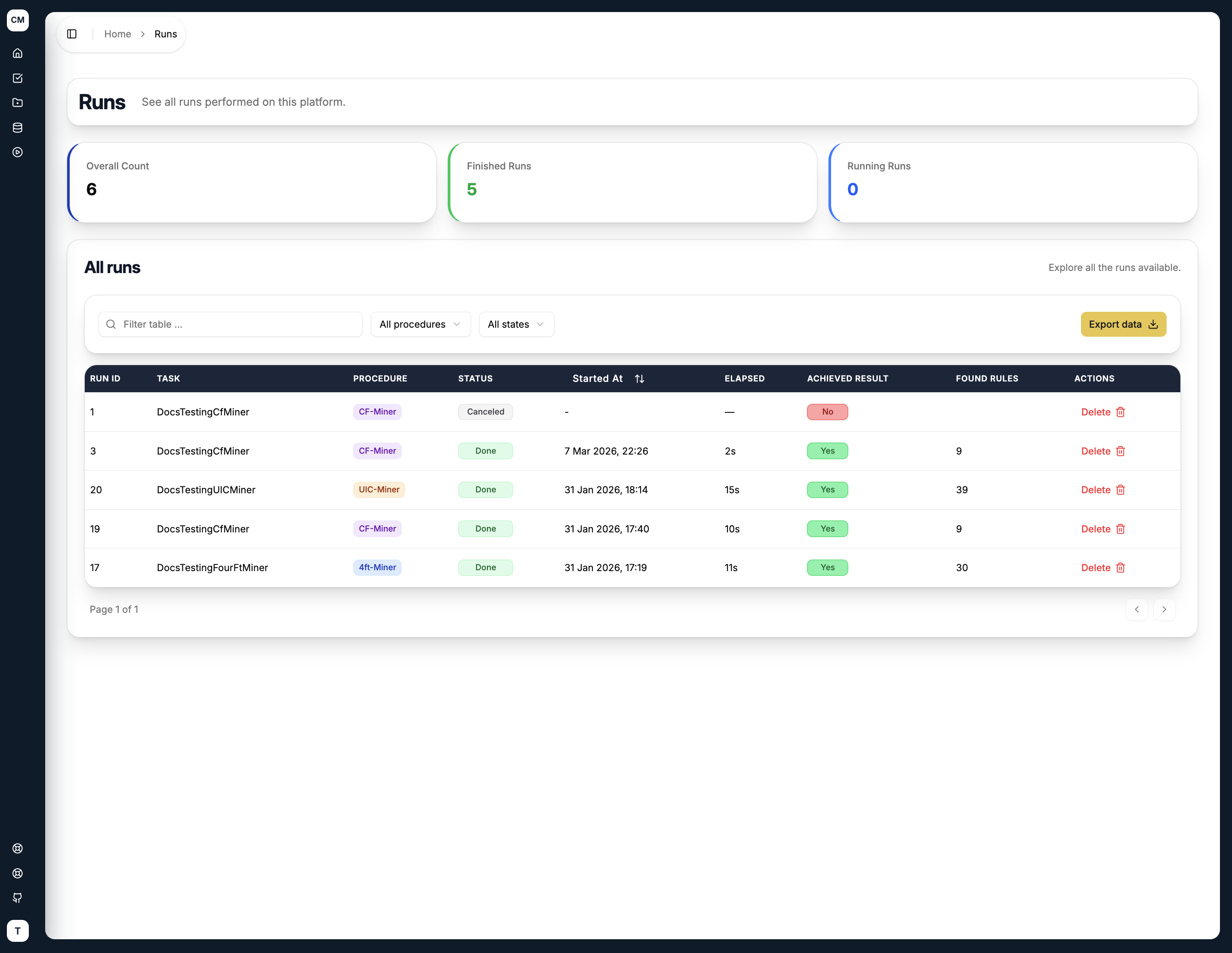
Summary Metrics
Three counters at the top of the page give you an at-a-glance status of all runs:
| Metric | Description |
|---|---|
| Overall Count | Total number of runs ever executed |
| Finished Runs | Number of runs that have completed (successfully or with failure) |
| Running Runs | Number of runs currently being processed |
All Runs Table
The table lists every run with the following columns:
| Column | Description |
|---|---|
| Run ID | Unique identifier for the run |
| Task | The task this run belongs to |
| Status | Current state of the run — Done, Failed, or Queued |
| Started At | Timestamp when the run began processing |
| Elapsed | Total execution time |
| Achieved Result | Whether the run produced any discovered rules |
| Found Rules | Number of rules discovered |
| Actions | Delete the run (only available for finished runs) |
You can filter the table by status using the All states dropdown, or search by task name using the filter input. Completed runs can also be exported using the Export data button.
Run Statuses
- Done — the run completed successfully and results are available
- Failed — the run encountered an error during execution
- Queued — the run is waiting to be picked up by a background worker
Queued and running runs cannot be deleted. The delete action only becomes available once a run has finished.
Viewing Results
Click on any finished run row to open its detail page. The results page adapts its layout depending on which GUHA procedure was used — each procedure produces a different result structure with its own set of visual aids. See the individual procedure pages for details: