Datasets Overview
The Datasets module is the central place for managing and preparing your data before running any analytical tasks. It supports the data exploration and preparation phase of the CRISP-DM methodology, giving you a full suite of tools to understand, clean, and shape your data — all within the platform UI.
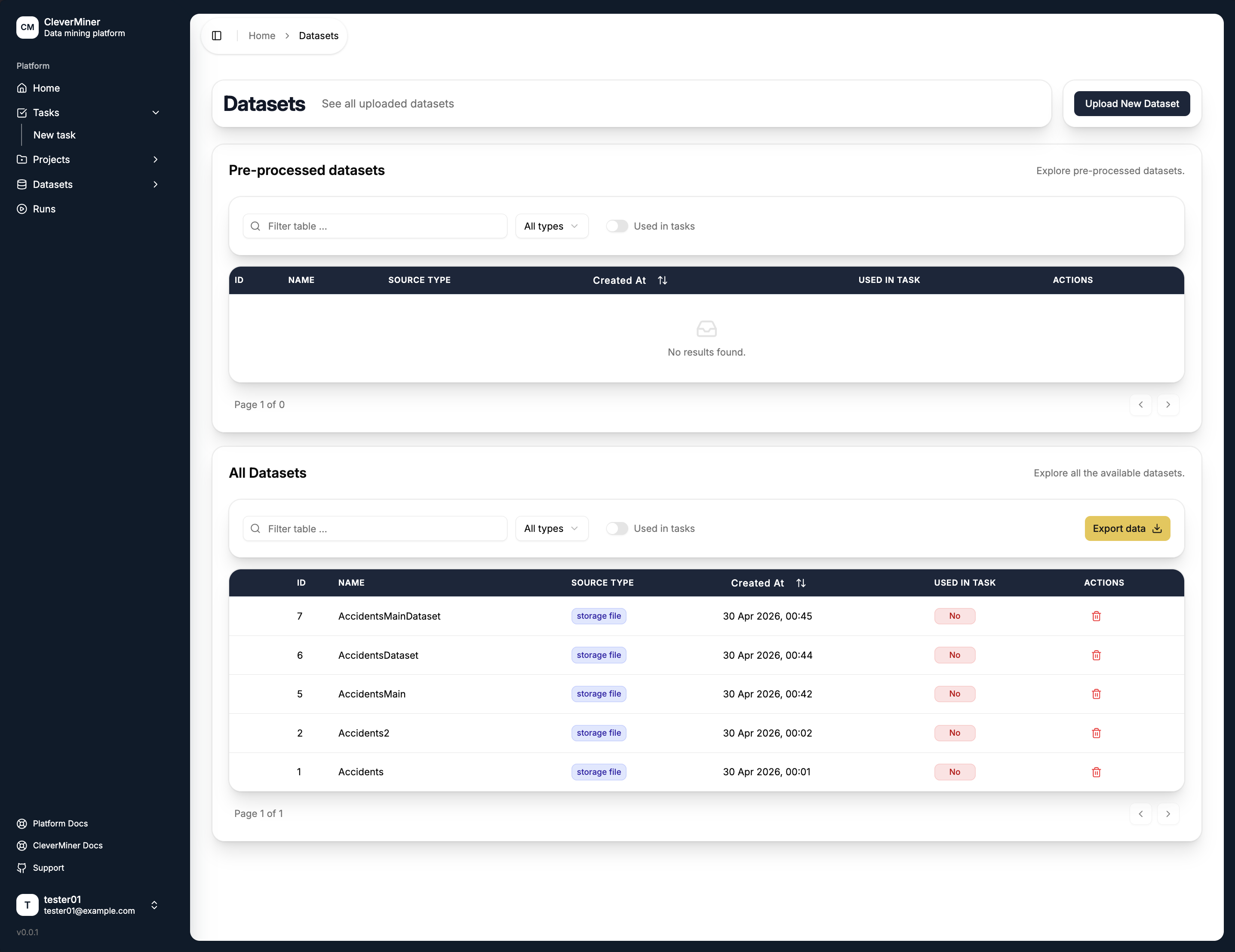
Dataset Types
The module separates datasets into two groups:
- Pre-processed datasets — datasets that were generated by the platform itself as the result of a data preparation operation (e.g. after discretisation or column removal).
- All datasets — all datasets available in your workspace, including files you have uploaded directly.
Each dataset entry shows its ID, name, source type (either storage file or generated), creation date, and whether it is used in a task.
Key Capabilities
Dataset Preview
View your uploaded data in its raw tabular format to quickly inspect its contents and structure before performing any operations.
Data Exploration
Explore your data visually through histograms and descriptive statistics, giving you an at-a-glance understanding of distributions, value ranges, and potential issues like skew or outliers.
CleverMiner Guidance
A built-in heuristic tool that analyses the structure of your dataset and provides suggestions on how it should be handled — whether discretisation is required, or whether the data is already suitable for use directly with CleverMiner.
Data Preparation Tools
The module provides a set of preprocessing operations to help you get your data into the right shape:
| Tool | Description |
|---|---|
| Attribute discretisation | Convert continuous numerical columns into categorical ones. Supports multiple discretisation strategies. |
| Column removal | Remove columns that are irrelevant or that should be excluded from analysis. |
| Missing value imputation | Handle missing values using a choice of imputation strategies. |
Each operation supports multiple strategies, giving you flexibility in how you achieve the desired preprocessing outcome. The result of any preparation operation is saved as a new pre-processed dataset, keeping your original data intact.
Uploading a Dataset
To add a new dataset, click the Upload New Dataset button in the top right corner of the Datasets page. Uploaded files are stored and immediately available for exploration and preparation.