Uploading a Dataset
To add a new dataset to your workspace, click the Upload New Dataset button in the top right corner of the Datasets page.
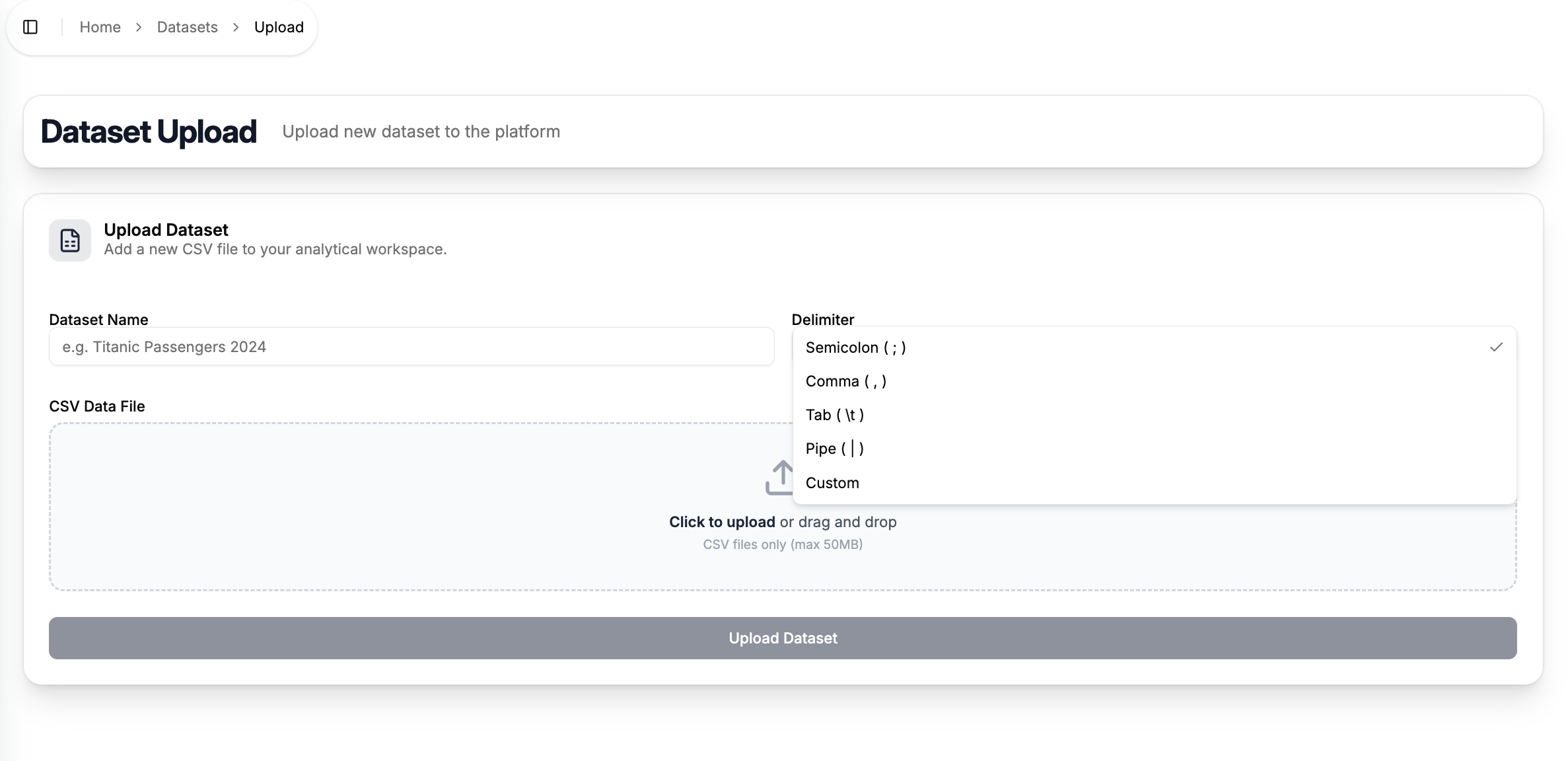
Upload Form
Fill in the following fields before uploading:
Dataset Name
A human-readable name to identify your dataset within the platform (e.g. Titanic Passengers 2024). This name will appear in the datasets table and when selecting a dataset for a task.
Delimiter
The column delimiter used in your CSV file. Defaults to ; if left unchanged. Make sure this matches the actual delimiter in your file, otherwise the data will not be parsed correctly.
CSV Data File
Select your file by clicking the upload area or dragging and dropping it directly onto it. The platform accepts CSV files only, with a maximum size of 50 MB.
Once all fields are filled in, click Upload Dataset to submit. The dataset will appear in the All Datasets table on the Datasets page and will be ready for preview, exploration, and preparation.
Make sure your CSV file uses consistent delimiters and that the first row contains column headers — this is required for the platform to correctly parse and display your data.